Supercreator alternative for agencies with chatter teams
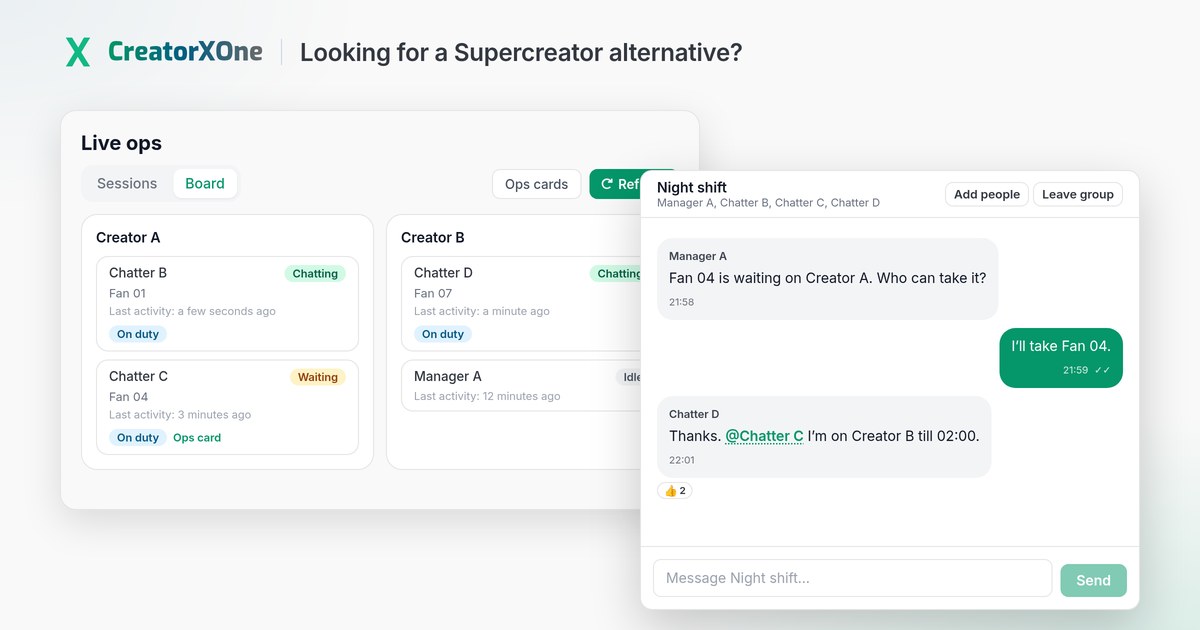
CreatorXOne is an agency CRM for OnlyFans and Fansly, with ManyVids and LoyalFans in the same roster. Agencies compare it with Supercreator when they run human chatter teams across more than one platform and want staff coordination inside the chatting session. Pricing is €1 per creator per active day (€0.33 ManyVids), and employees are unlimited.
Choose Supercreator if:
- You want an AI chatter that messages fans for you (Supercreator's AI Chatter and Super AI plan).
- You want a mobile app with push notifications for sales and messages.
- Your roster is OnlyFans only.
Choose CreatorXOne if:
- You run Fansly, ManyVids or LoyalFans creators as well as OnlyFans.
- Your chatters are people, and you want AI that only suggests while a person sends.
- You want Team chat, Ops cards, Live ops and an Audit Center for running the team.
- You want to pay per active day and pause a creator by archiving.
Why agencies compare Supercreator alternatives
Supercreator positions itself around AI for OnlyFans. Agencies that compare alternatives usually run human chatter teams, often across Fansly or other platforms too, and want the tool built around coordinating those people: who covers which fan, who is in which session, and what happened on each shift.
CreatorXOne and Supercreator at a glance
| CreatorXOne | Supercreator (as listed on its own site) | |
|---|---|---|
| Platforms | OnlyFans and Fansly (full), ManyVids, LoyalFans | Pricing and product pages describe an OnlyFans product, with plans per OnlyFans account |
| Pricing model | €1 per creator per active day (€0.33 ManyVids) | Per OnlyFans account per month. CRM Premium shown at $15 per account per month. Super AI at $99 per account per month plus 5% of AI net sales. Billing updates as revenue changes |
| Team | Unlimited employees | Unlimited team members and devices; the license is tied to each OnlyFans account |
| AI | Optional, suggest-only. A person sends every message | Message Copilot, Inbox Copilot and an AI Chatter on the Super AI plan |
| Free trial | 14 days, no credit card | 14 days, no credit card |
| Mobile | Web app works on a phone, including Team chat and the Command center briefing. Chatting stays in the desktop app | Full mobile app with push notifications listed |
Supercreator details from Supercreator's public site, checked 10 October 2026. Plans and prices change, so check their current page before you decide.
What CreatorXOne gives your team

- Ops cards in Command center. A board of follow-ups that need a person: Quiet whale, Idle high-value and Revenue dip, plus unopened paid media. Assign a chatter, notify, snooze, save a draft or mark done. The chatter sees the notice inside their session and sends the message themselves. CreatorXOne does not send it.
- Team chat. The staff messenger inside CreatorXOne: one Agency chat, direct messages and named groups. A new team message pops up as a small card inside the OnlyFans or Fansly session, so chatters reply without leaving the inbox. Fan chats are not copied into Team chat.
- Priority inbox and spender flags. High-value fans move to the top of the loaded chat list, with a spend badge on each chat row.
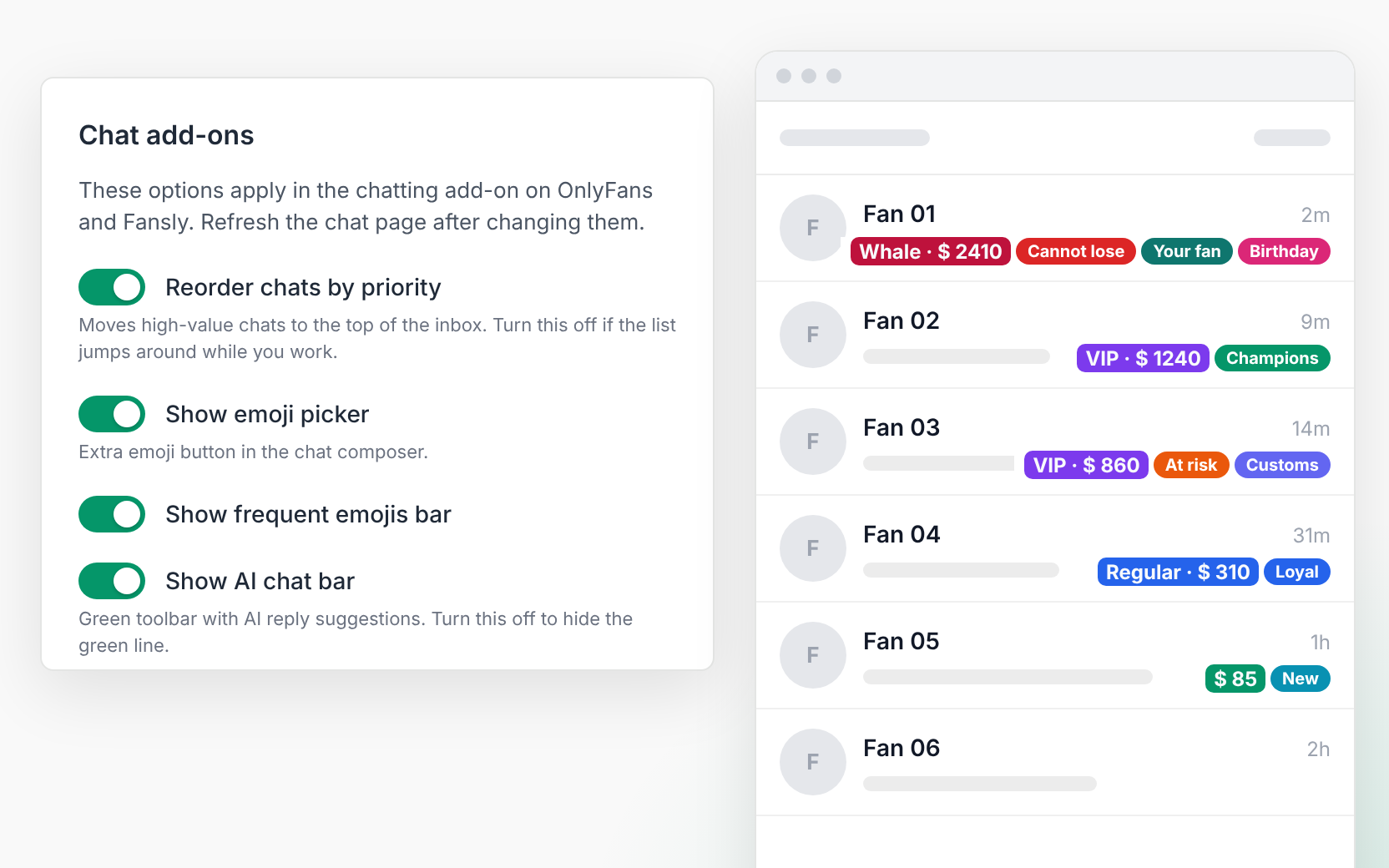
- Inbox split and chatter presence. Split one creator's inbox into 2 to 9 queues. An "… is here" badge sits on the open chat's header. Fans with an owner stay with that owner.
- Slash / chatting scripts. Search scripts from the live composer. Scripts fill in {name} and can attach vault media. Nothing sends until the chatter confirms Send.
- Chatter view restrictions. Keep chatters out of OnlyFans earnings, statements, payouts, banking and settings pages. In standard Fansly sessions, tips are hidden from chatters without permission.
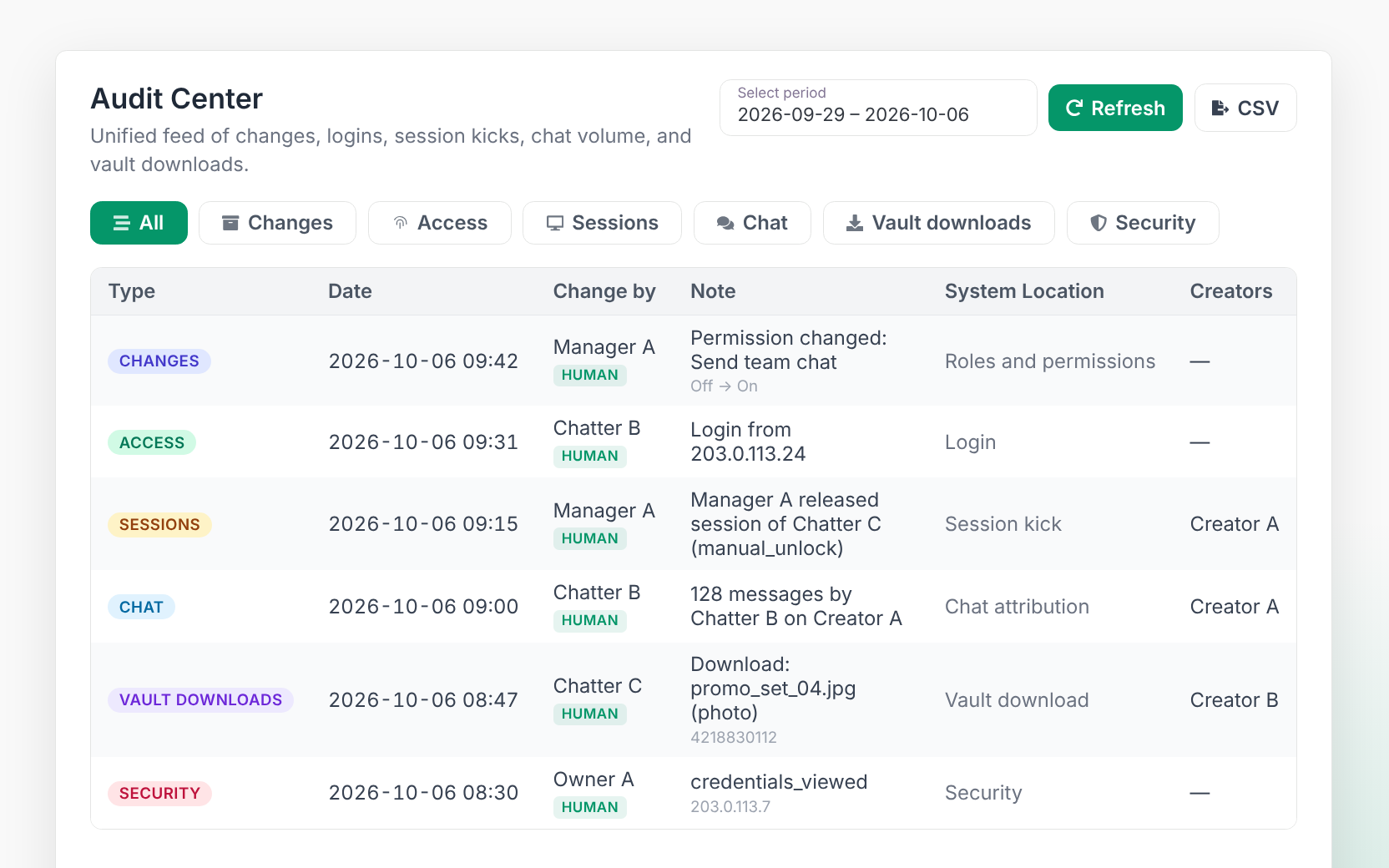
- Audit Center, Investigation Center and Employee report. One feed for changes, access, sessions, chat, vault downloads and security, with CSV export. Investigation Center shows one employee's outbound messages across creators in time order. Employee report shows messages sent, unique fans and session hours per creator, employee and day.
- Shifts and payroll. Shift planning, hours from scheduled shifts or session time, and salary calculations, with unlimited employees. On OnlyFans, sales are matched to the chatter by fan assignment, last message, session or shift, and some go to manager review.
- Live ops. Sessions shows who holds each creator account. Board shows who is chatting, waiting or idle.
- Suggest-only AI (optional). Suggested replies in the language of the fan's latest message, AI translation and fan notes. A person sends every message.
- AI support chat BETA. The question mark in the app answers from the CreatorXOne Help Center and links the article it used.


Platforms

- OnlyFans and Fansly: fully supported in the same workspace. Fansly CRM · OnlyFans CRM
- ManyVids: supported. ManyVids CRM
- LoyalFans: supported from desktop app v1.3.5. Login, verify and sessions only; earnings and stats are not available yet. LoyalFans CRM
All four sit in one roster with a platform filter. Desktop app for Windows, macOS and Linux.
Pricing
€1 per creator per active day (€0.33 ManyVids). Employees are unlimited.
An active day is any day a connected creator isn't archived, plus any days you scrape or backfill stats for. Archive a creator to pause billing from the next day.
How to switch to CreatorXOne
- Start the 14-day trial. No credit card.
- Add your creators. Use Add Creator for one, or Bulk Add for several. Store encrypted login details, or skip the password and sign in on desktop so only the session is saved.
- Install the desktop app (Windows, macOS or Linux) and open each creator's first session.
- Invite your team. Add employees, set roles and permissions, and choose which creators each person can open.
- Set up the chatting desk. Recreate your scripts, set fan tiers and tags, and split inboxes where several chatters share a creator.
- Run both tools side by side for a few days, then archive anything you no longer use. Archiving pauses billing from the next day.
Need help? Ask AI support chat BETA from the question mark, or reach a person on Telegram or email from the same panel.
Supercreator alternative FAQ
What is a good Supercreator alternative for agencies?
CreatorXOne is a Supercreator alternative for agencies with human chatter teams on OnlyFans and Fansly, plus ManyVids and LoyalFans. It includes Team chat, Ops cards, Audit Center and unlimited employees, priced at €1 per creator per active day (€0.33 ManyVids).
Does CreatorXOne support Fansly?
Yes. CreatorXOne fully supports OnlyFans and Fansly in the same workspace, and also supports ManyVids and LoyalFans creators in the same roster.
Does CreatorXOne have an AI chatter that sends messages?
No. CreatorXOne AI only suggests replies, translates and writes fan notes. A person reviews and sends every message.
Does CreatorXOne charge per team member?
No. Employees are unlimited, and billing is per creator per active day.
Is there a CreatorXOne mobile app?
There is no separate mobile app. The CreatorXOne web app works on a phone for Team chat and the Command center briefing, and chatting with fans happens in the desktop app.
How much does CreatorXOne cost?
€1 per creator per active day (€0.33 ManyVids), with unlimited employees. An active day is any day a connected creator isn't archived, plus any scraped or backfilled days, and archiving pauses billing from the next day.
Run your chatter team on CreatorXOne
Add your creators, open the sessions in the desktop app, and give your chatters Team chat and Ops cards from day one.
Compare other tools
Infloww alternative·OnlyMonster alternative·CreatorHero alternative